Stage plot template
Keyboard Player Stage Plot Template
Start from a finished keyboard player stage plot for one performer using stereo DI, sustain pedal, nearby power, a stand position, and a simple monitor request.
Build a keyboard player stage plotExample PDF
Example PDF from this template
Actual RigFlow PDF export showing keyboard position, stereo DI, power, sustain pedal, and monitor notes for a keyboard player setup.
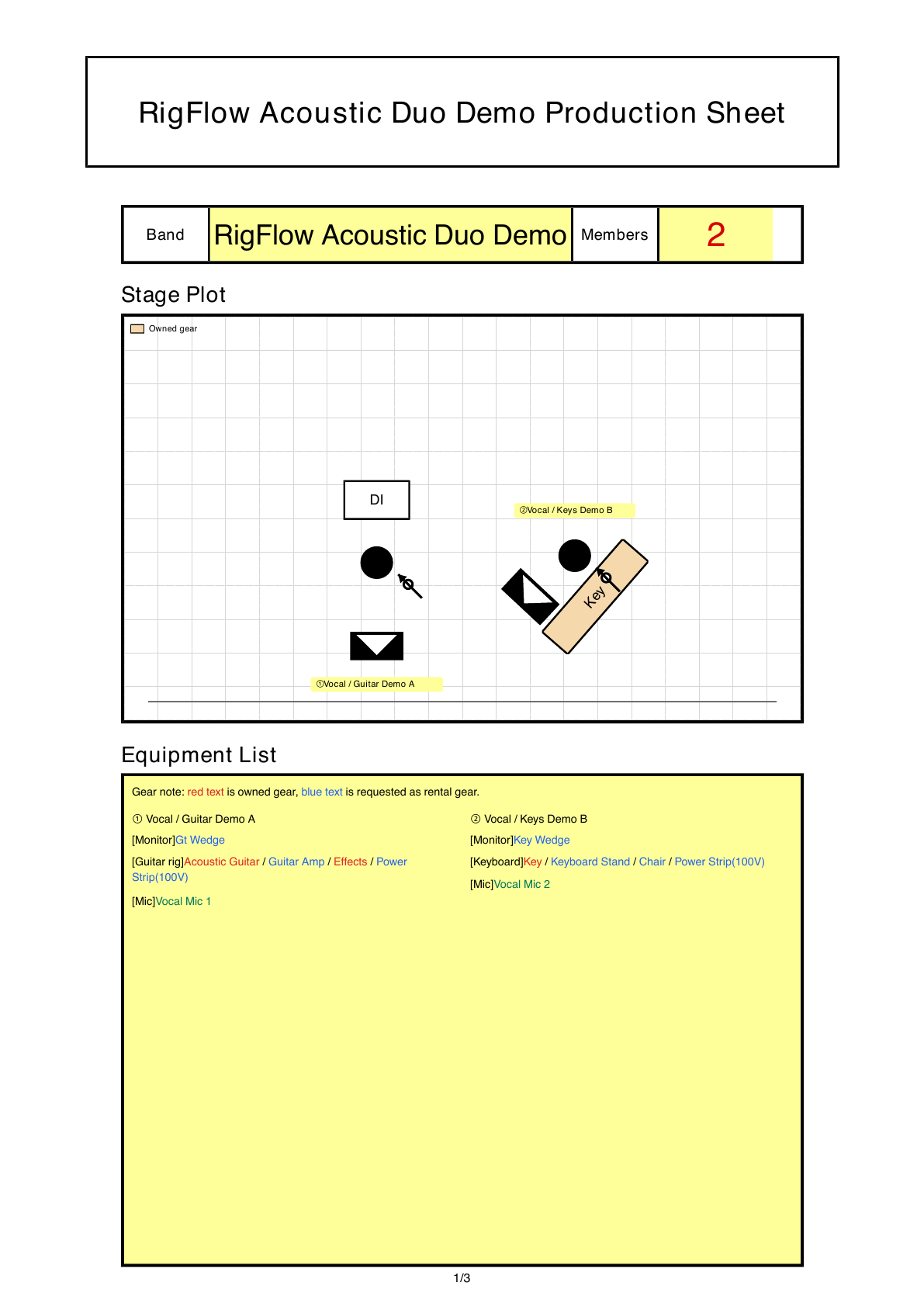
Best fit for this template
Best for solo keyboard players, support musicians, church services, lounge sets, and small stages where stereo DI, power, pedals, and one monitor need to be clear.
The PDF should let the venue confirm where the keyboard sits, how many DI channels are needed, where power should land, and what the monitor should include.
Venue questions this template answers
- Does the keyboard need stereo DI or is mono acceptable?
- Should the venue prepare a stand, bench, DI boxes, or only power?
- What should the keyboard player hear in the monitor mix?
Layout priorities
- Draw the keyboard from the audience perspective so stage-left placement is not reversed.
- Keep the DI and power beside the keyboard stand, not across the walkway.
- Leave room behind the stand for pedals, a bench, and cable routing.
Example stage layout
- Place the keyboard at center or stage right with the stand facing the audience and DI boxes beside the player.
- Place one wedge near the keyboard and mark power close enough for pedalboard, laptop, or interface use.
Suggested input list
- Keyboard DI L
- Keyboard DI R
- Optional vocal microphone
- Playback or laptop stereo L/R
Equipment notes
- Mark whether the keyboard uses stereo DI, mono DI, or an audio interface.
- Place power near the stand so the venue can prepare a safe cable path.
- List sustain pedal, bench or stool, and any laptop or playback device separately.
Monitor notes
- One wedge near the keyboard is usually enough for a solo or support player.
- Write whether the player needs vocal, click, backing track, or only their own keys.
- If in-ear monitors are used, mark that the house wedge is not required.
Common missing details
- Not saying whether the keyboard output is mono or stereo DI.
- Forgetting sustain pedal, power, and stand placement.
- Leaving monitor needs vague when the player needs vocal, click, or backing track reference.
PDF review checklist
- Stereo DI, power, sustain pedal, and monitor are each visible as separate needs.
- The keyboard position is clear from the front-of-house perspective.
- Venue-provided items and performer-owned gear are not mixed together.