2026.06 · Band stage plot example
This band stage plot example follows a practical four-piece band: vocal, guitar, bass, and drums.
Use it to see the front-of-house perspective, what belongs on the plot, what belongs in the input list, and why the sample PDF should be checked before sending the file.
Use this four-piece band stage plot example to separate performer positions, backline, input needs, monitor notes, and the sample PDF your venue will actually read.
PDF example
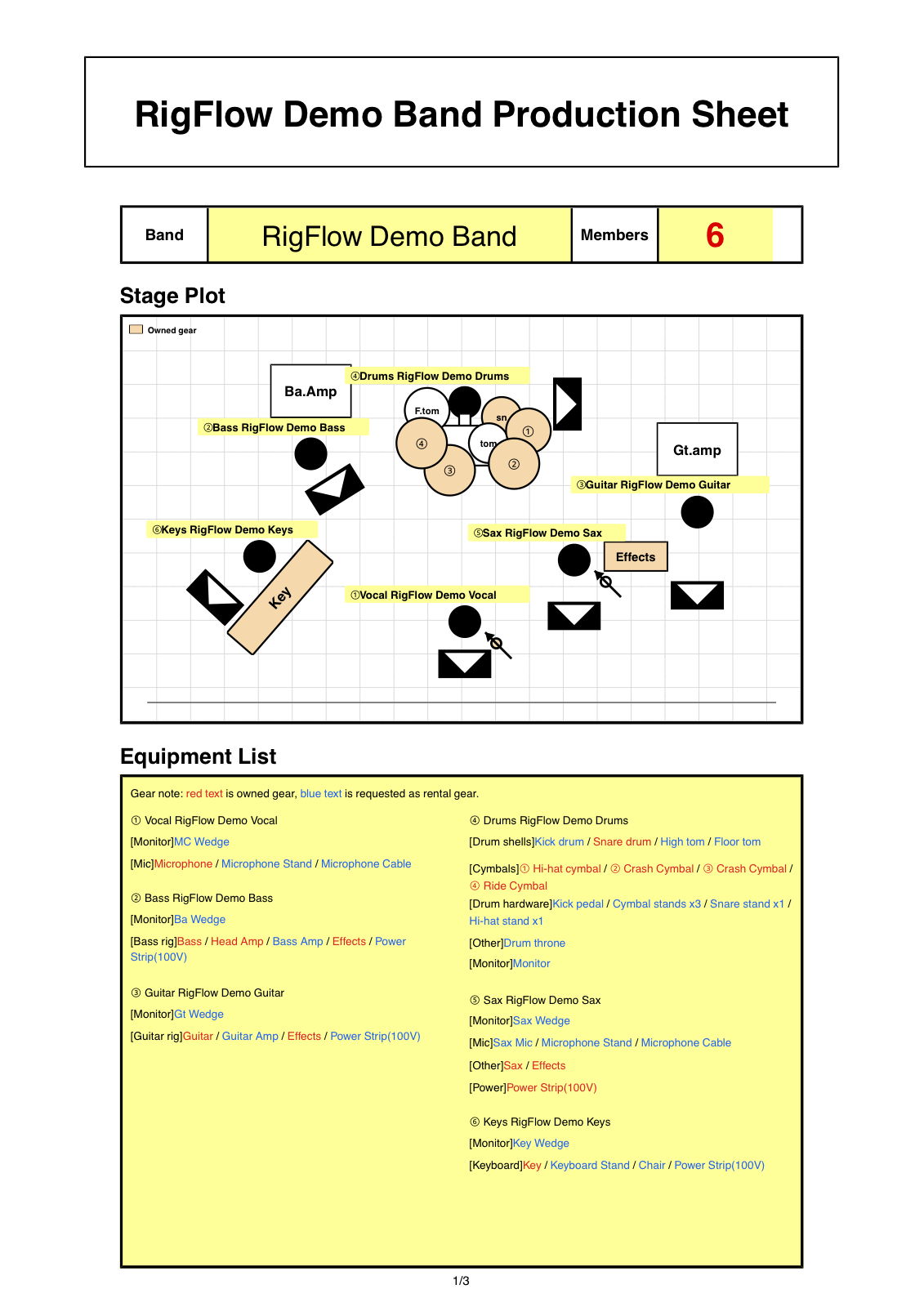
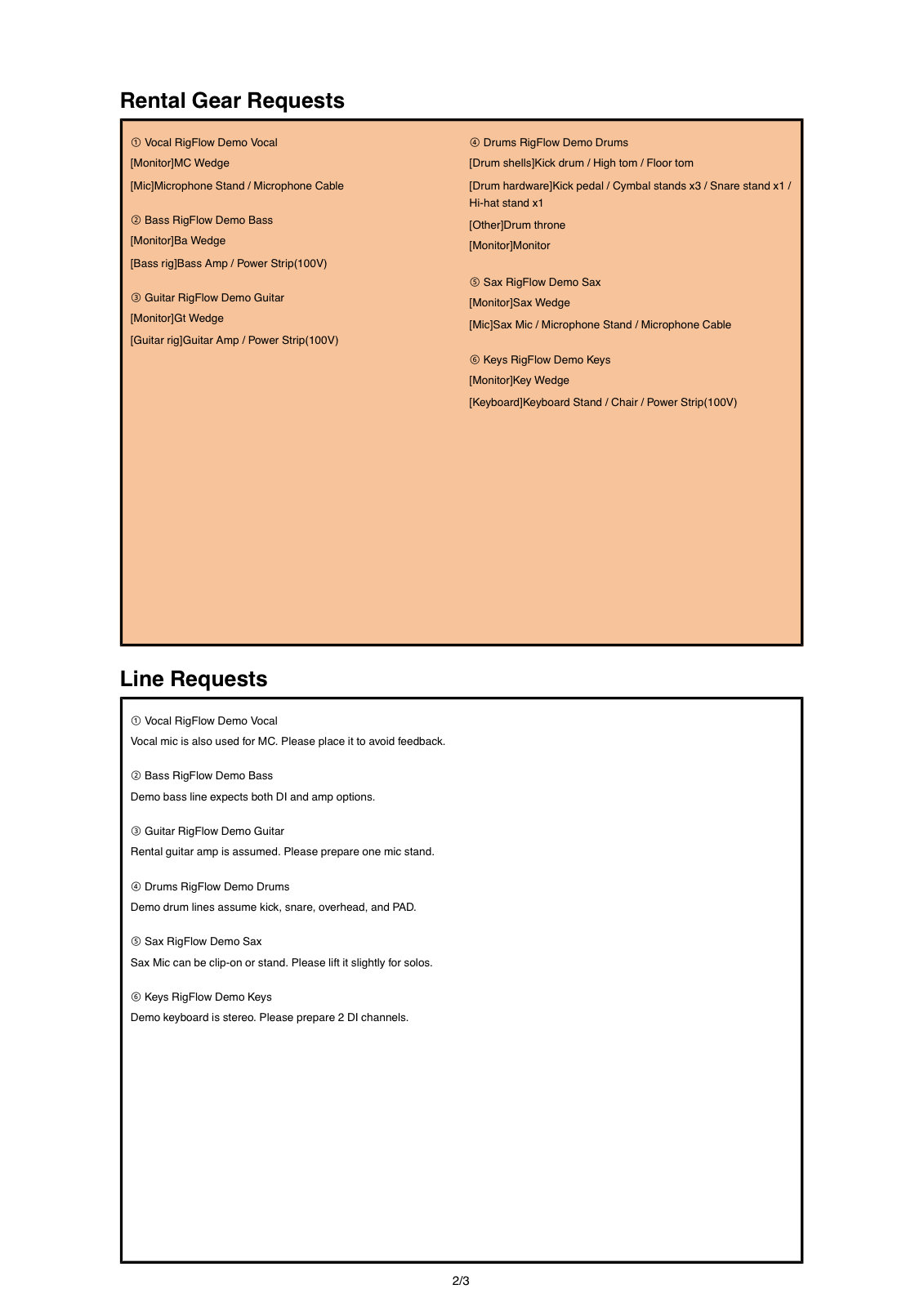
Review a four-piece band PDF example
Read the diagram from the front-of-house perspective, then confirm whether stage positions, gear labels, and input details remain readable in the sample PDF.
Start with the front-of-house perspective
A venue reads the stage plot as if standing at front of house and looking at the stage. That keeps stage left, stage right, downstage, and upstage clear for the sound team.
For a four-piece band, the plot should show where the drummer sits, where guitar and bass amps live, where the lead vocal stands, and which items are supplied by the band or requested from the venue.
A useful example keeps the drawing simple and moves channel details into the input list.
What belongs on the plot
- Four-piece band positions from the front-of-house perspective
- Lead vocal, guitar, bass, and drums with clear labels
- Guitar amp, bass amp, drum kit, playback, and power locations
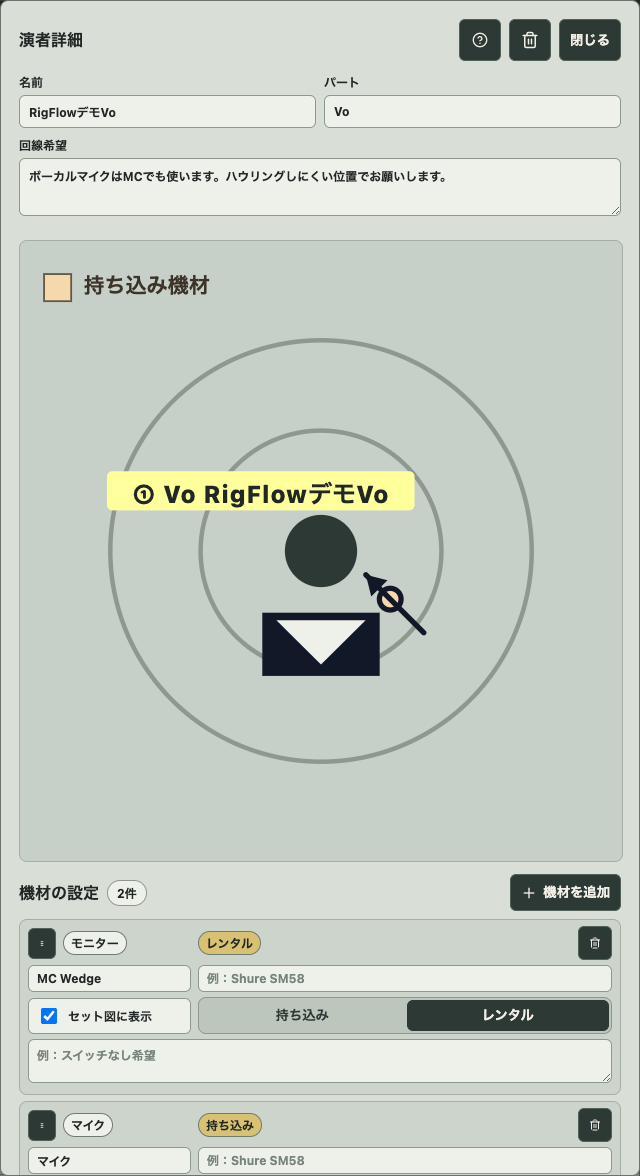
- Backing vocals and DI needs connected to the right performer
- What belongs on the plot versus what belongs in the input list
- A sample PDF check before sending the venue file
How to adapt the example
- 01
Place the band from the audience view
Put drums upstage, lead vocal downstage, and guitar or bass positions where the venue should expect them from the front-of-house perspective.
- 02
Keep the plot visual
Use the plot for performer positions, backline, drums, stands, playback stations, and power locations.
- 03
Move channel details into the input list
Put microphones, DI boxes, stereo playback, backing vocals, and channel notes in the input list so the diagram does not become crowded.
- 04
Check common mistakes
Look for numbering clutter, missing backing vocals, monitors as inputs, and old show notes before exporting.
- 05
Open the sample PDF
The sample PDF shows whether the final file is readable for a venue, sound engineer, or production contact.
What belongs in the input list
The plot shows locations. The input list explains channels: lead vocal, backing vocals, guitar mic, bass DI, kick, snare, overheads, stereo playback, or keyboard DI.
Monitors are not inputs. Treat monitor wedges, in-ear feeds, and power as request notes so the input count stays readable.
Common mistakes before sending
- numbering clutter that makes the drawing harder to scan
- missing backing vocals even though more than one singer needs a microphone
- monitors as inputs, which inflates the channel count
- stage left and audience left mixed together
- no sample PDF review before sending the file
Checklist before exporting the PDF
- The four-piece band can be understood without extra messages
- The front-of-house perspective is clear
- What belongs on the plot stays visual
- What belongs in the input list is channel-focused
- The sample PDF is readable before export
Frequently asked questions
What is a front-of-house perspective?
It means the stage plot is drawn from the audience or sound engineer position looking at the stage.
Should backing vocals be on the plot or input list?
Show the vocalist position on the plot, then list the backing vocal microphone as an input need.
Why open a sample PDF?
The sample PDF proves whether the diagram, labels, and input notes are readable in the format the venue receives.