2026.06 · Stage plot guide
A stage plot tells the venue and sound engineer where performers stand, what backline is used, and where microphones, monitors, power, and personal gear should go.
The goal is not to make a decorative diagram. The goal is fewer setup questions before soundcheck and more time for the performance.
This guide explains what to prepare before making a stage plot, how to keep input and equipment details consistent, and how to export a clean PDF with RigFlow.
PDF example
Build with a finished example in view
These examples show the stage plot and equipment list that RigFlow can export. Check the final PDF style first, then review the checklist in this article.
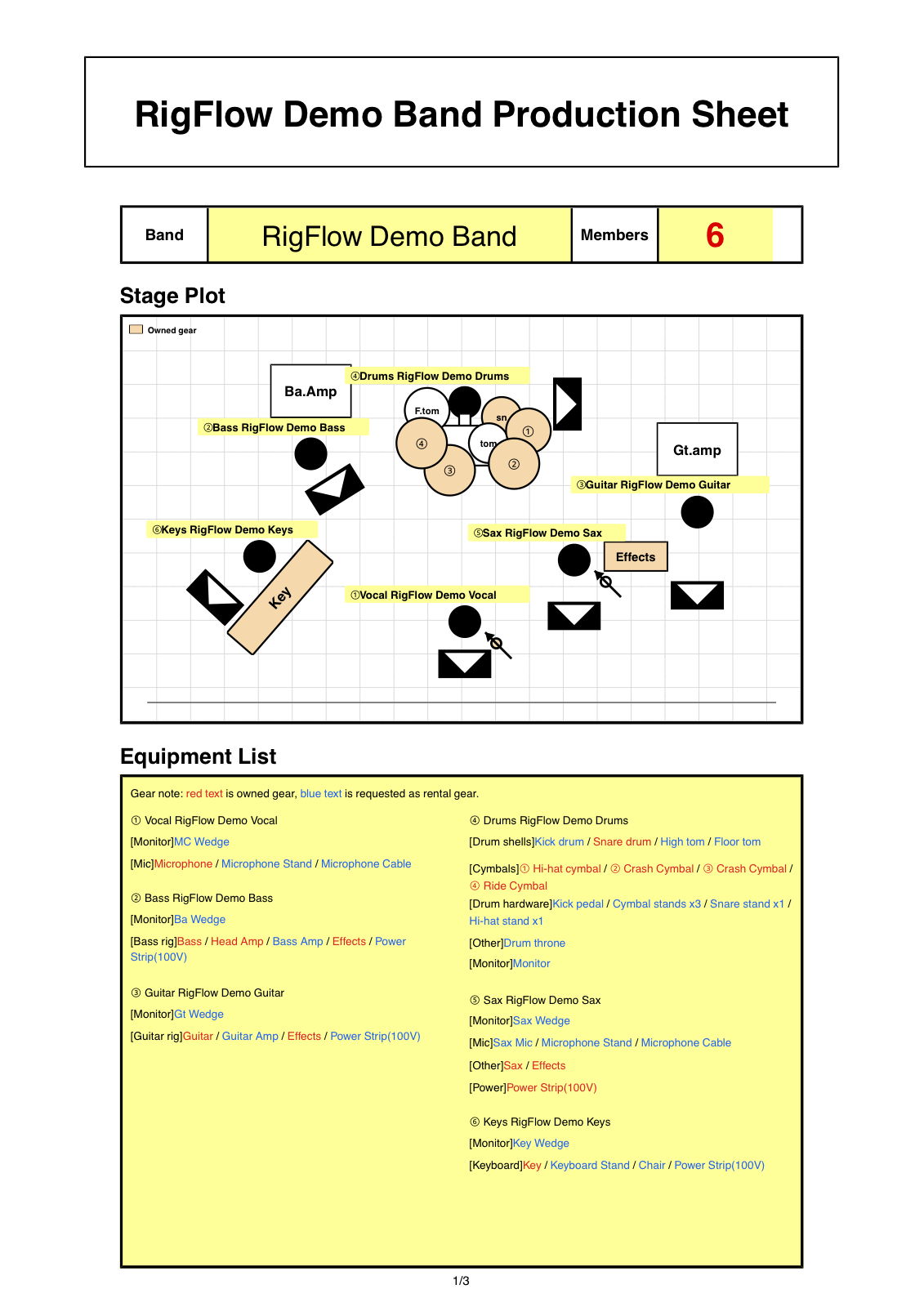
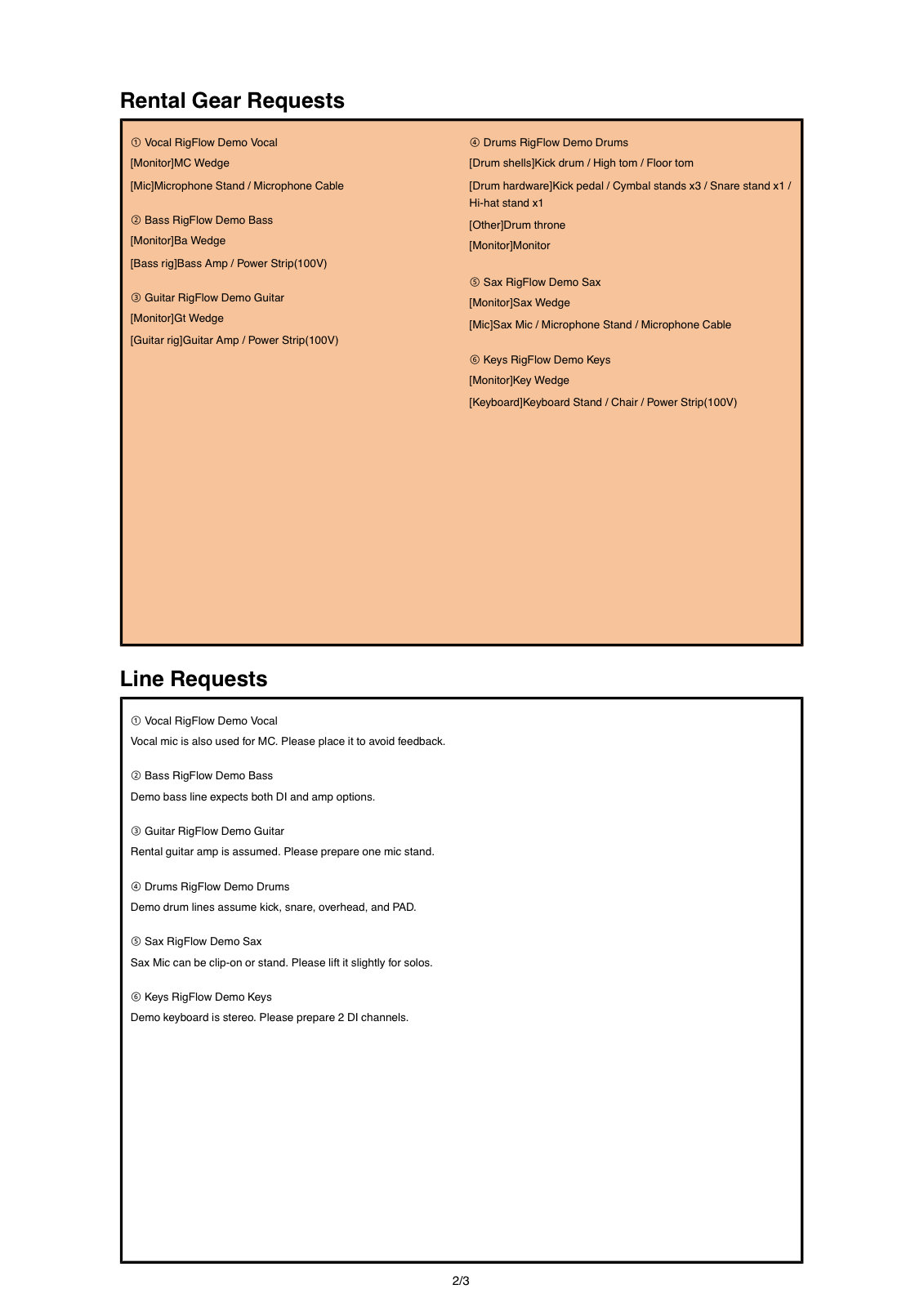
What a stage plot communicates
A stage plot is a practical production document. It shows who stands where, what equipment is used, and which microphones, DI boxes, and power connections are needed.
When you send it to a venue, the purpose is to reduce questions before load-in, keep the format consistent, and keep soundcheck focused on the actual performance.
A good stage plot is a working document that reduces show-day questions and protects rehearsal time.
Information that prevents missing details
- Performer names, roles, and stage positions including stage left and stage right
- Number and placement of vocal, backing vocal, and instrument microphones
- Placement of guitar amps, bass amps, keyboards, DJ tables, and other backline
- Drum kit details such as toms, cymbals, kick, and snare
- Personal gear, venue requests, power, DI, tracks, and in-ear monitor requirements
- Setlist, notes, and a final check before sending
Start from a lineup template
If your setup is close to a common lineup, start from that template and adjust the current show details.
Steps to make a stage plot
- 01
List the lineup and roles
Start with performer names and roles. Use short labels such as Vocal, Guitar, Bass, Drums, or Keys so the venue staff can read the setup quickly.
- 02
Place performers on the stage
Draw the stage from the audience view and mark front, back, stage left, and stage right. Even a simple left, center, and right placement helps the crew prepare.
- 03
Add equipment and ownership
Put amps, drums, keyboards, DJ gear, and personal microphones near the performer who uses them. Separate gear you bring from gear you want the venue to prepare.
- 04
Confirm microphones, power, and monitors
Check vocal microphones, backing vocals, DI boxes, power outlets, and monitor requests. If you use tracks, write whether the output is mono or stereo.
- 05
Export the PDF for the venue
Review the stage plot, equipment list, and setlist if needed, then send one final PDF to the venue or production contact.
How to make it clear for the sound team
Do not stop at labels like amp or keyboard. Write whether the item is brought by the performer or requested from the venue, and add the model name when it matters.
Backing vocals, tracks, in-ear monitors, power outlets, and DI boxes are easy to forget. Write for someone who has never seen your setup before.
Common mistakes before sending
- The front of the stage or stage directions are unclear
- Amp, keyboard, or DJ positions are missing
- Backing vocal microphones or personal microphones are not listed
- The drum setup does not match the current show
- Tracks, in-ear monitors, or power requirements are missing
- An old PDF is sent even though the lineup has changed
Checklist before exporting the PDF
- Every performer name and role is written
- Front, stage left, and stage right are easy to understand
- Microphones, DI boxes, power, and monitors are listed
- Personal gear and venue-provided gear are separated
- Setlist and notes can be checked in the same document
- The exported PDF is the exact file you want to send
Frequently asked questions
Can a stage plot be handwritten?
Yes, if the information is readable. For sharing, revision, and sending to a venue, a PDF is usually safer.
Do I also need an input list?
An input list is helpful for many venues. At minimum, include microphone counts, DI boxes, personal gear, and track requirements in the stage plot or equipment list.
Can I make it on a phone?
RigFlow runs in the browser, so you can edit on a phone. Fine placement and long equipment names are usually easier on a computer.
What should I send to an overseas venue?
Use the term stage plot and keep performer positions, inputs, personal gear, and notes in one clear PDF.