2026.06 · Free stage plot maker
A free stage plot maker is only useful if the file is clear enough to send before a show.
RigFlow helps you place performers, add gear and input details, keep the equipment list and setlist close to the stage plot, and export one venue-ready PDF. Because those details stay in the same flow, the final handoff has less missing information.
Use RigFlow as a free stage plot maker when you need a browser-based stage plot, input list, equipment notes, and setlist in one venue-ready PDF for a venue or sound engineer.
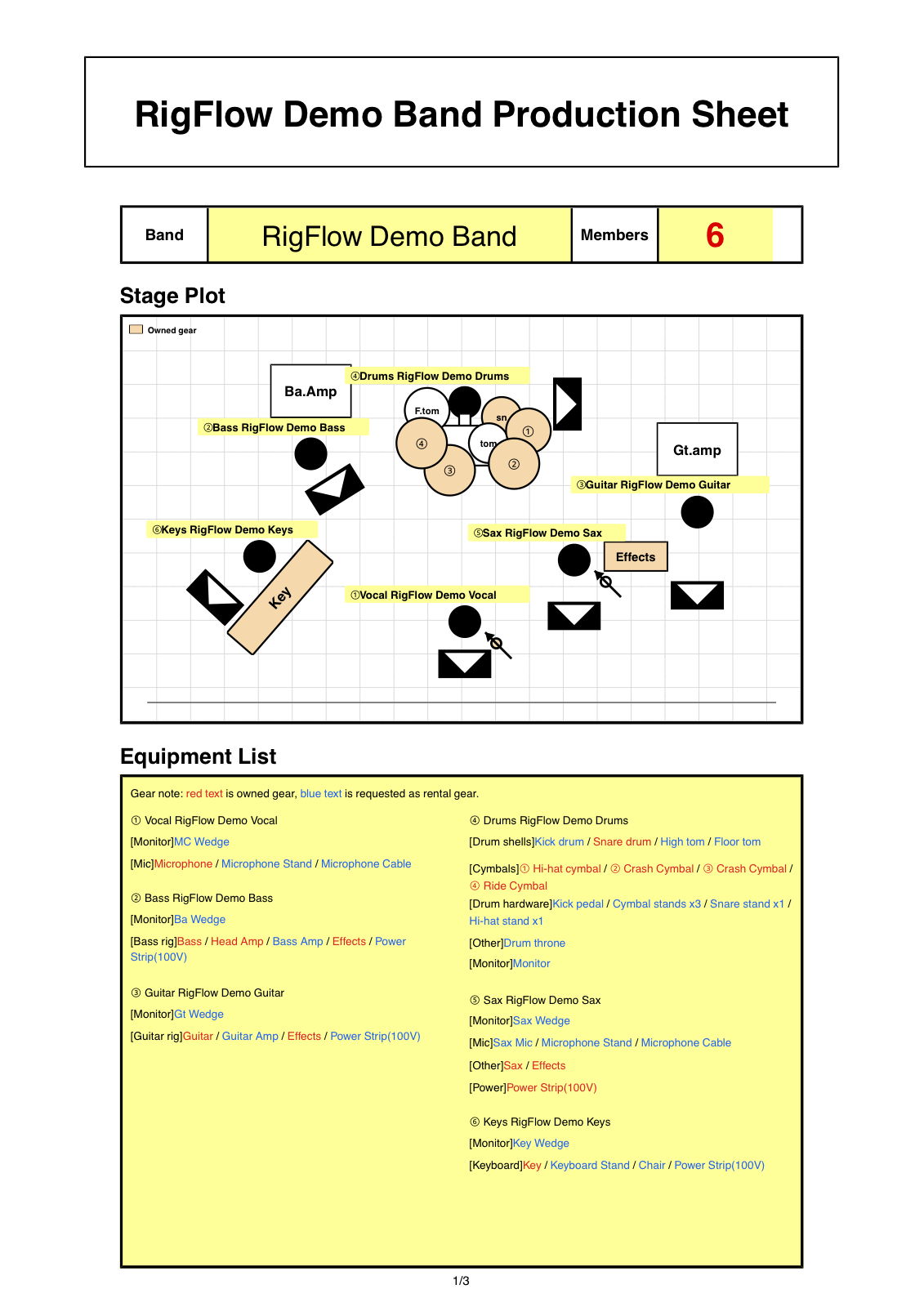
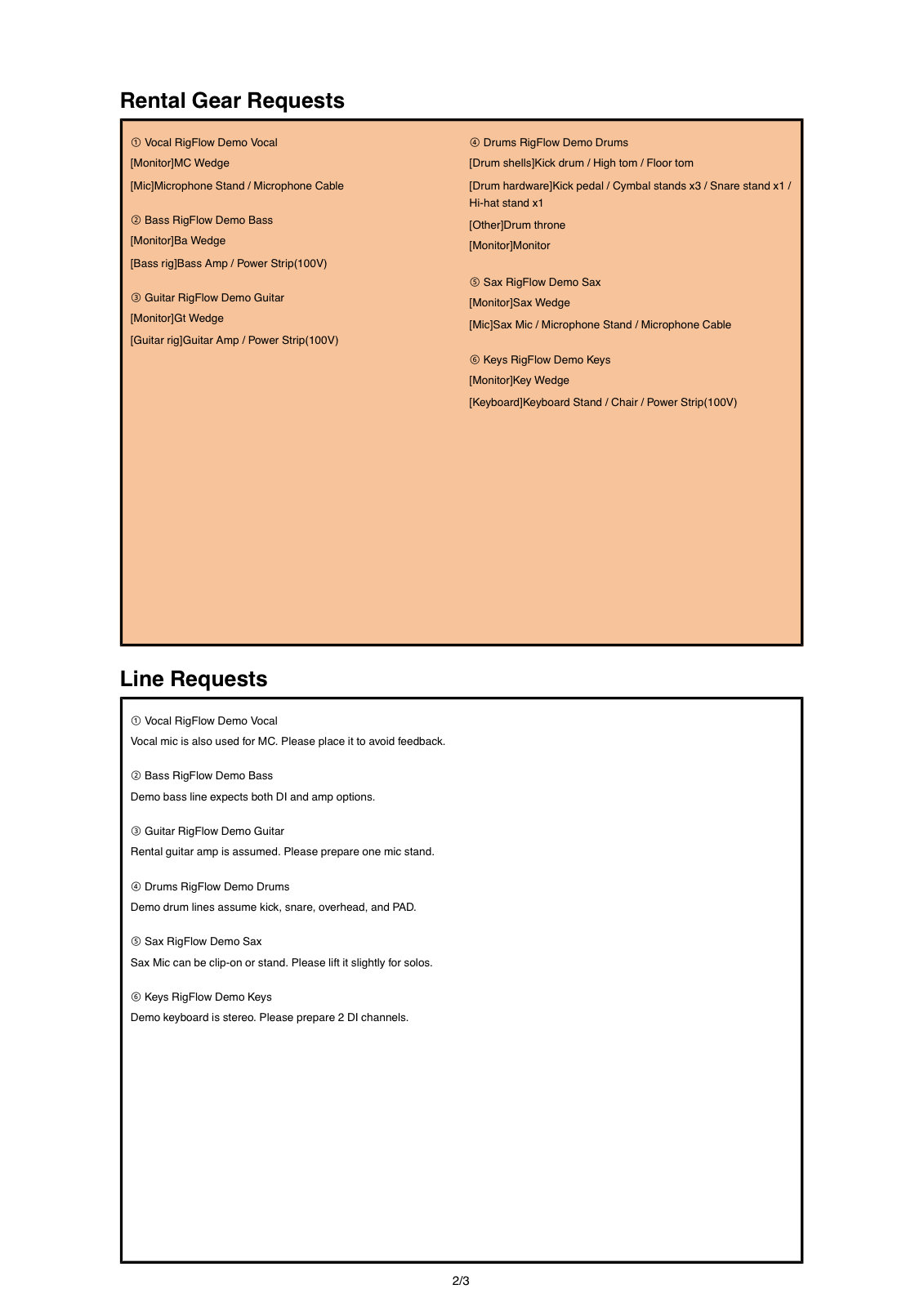
PDF example
Make the free output worth sending
The editor is built around the PDF the venue receives: stage plot first, then equipment details, input notes, and show notes that make the setup easier to check.
Free should still be usable by the venue
A rough stage drawing can show where the band stands, but a venue also needs performer roles, equipment ownership, microphone counts, DI requests, and notes that survive as a PDF.
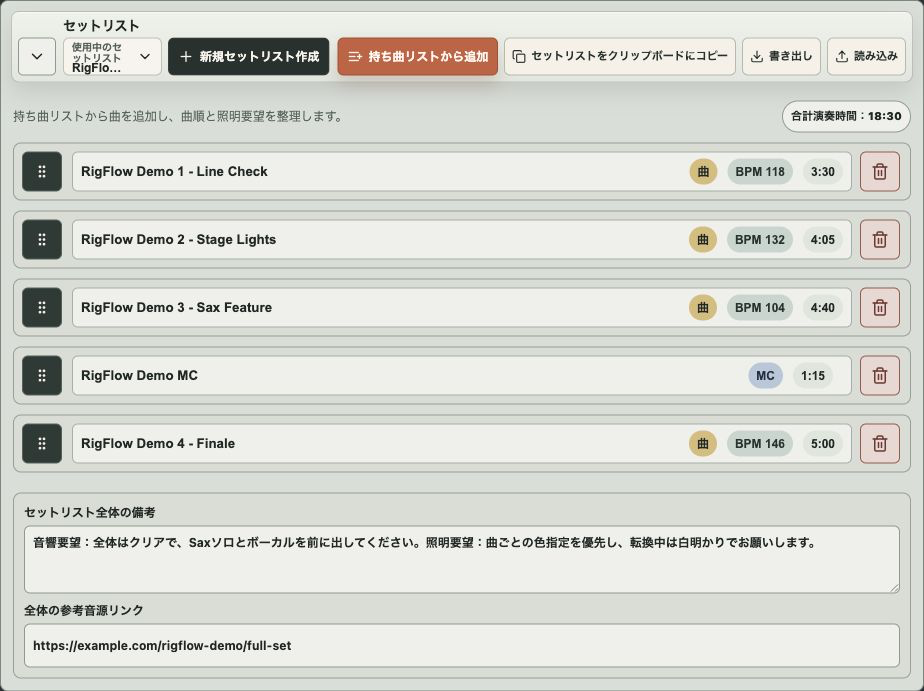
RigFlow focuses on the document you send, not only the drawing you make. The stage plot, equipment list, input list details, and setlist stay connected so the show file does not split into screenshots, spreadsheets, and follow-up messages.
A free stage plot maker earns its place when the exported PDF can be sent without extra explanation.
What to prepare before using the maker
- Band name, venue, and show date
- Performer names, roles, and audience-facing positions
- Backline and personal gear near each performer
- Microphones, DI boxes, power, monitors, and playback tracks
- Equipment ownership or venue requests
- Setlist and show notes if the venue needs one file
How to make the stage plot
- 01
Add the show basics
Enter the band name, venue, date, and any logo so the PDF is identifiable when it reaches the production contact.
- 02
Place the performers
Add each performer to the stage and drag them into the position the venue should prepare from the audience view.
- 03
Add gear and input details
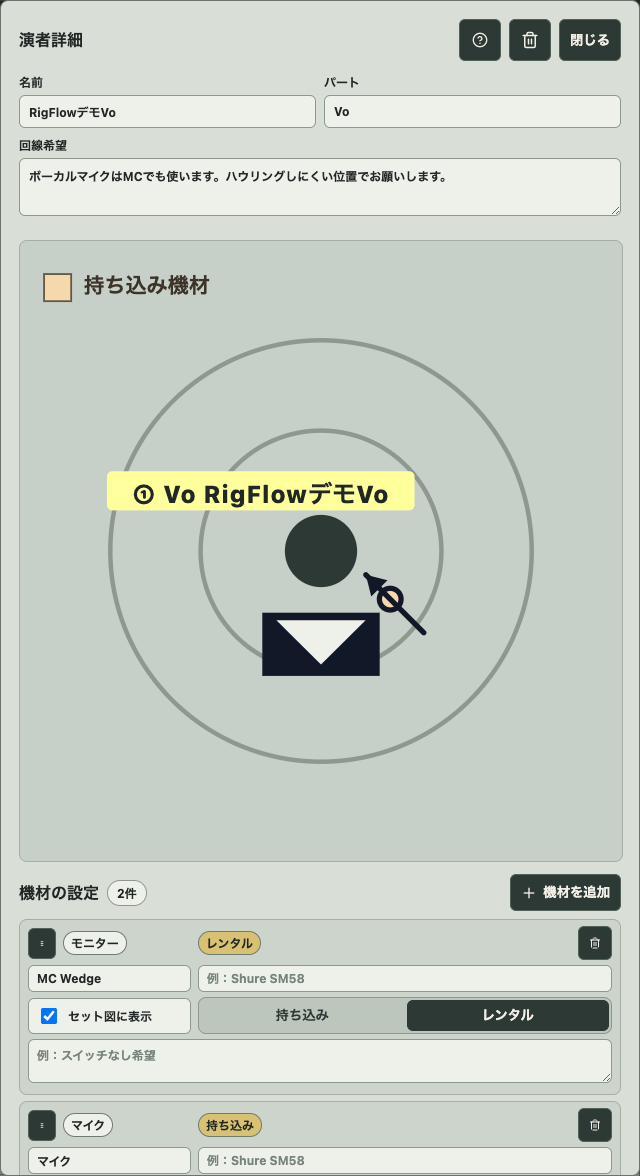
Open performer details and add microphones, monitors, amps, DI boxes, power, drums, keyboards, tracks, and other gear.
- 04
Review the equipment list
Check whether every item is brought by the band or requested from the venue, then fix unclear labels before exporting.
- 05
Export the PDF
Preview the final pages and export one PDF that can be sent to the venue or sound engineer.
Make the free stage plot easy to check
Use short performer labels, but keep gear specific. Guitar amp, bass amp, stereo keyboard DI, playback track, and personal microphone are different requests to a sound team.
Before exporting, read the PDF like a person at the venue who has never seen your setup. If they can see where each performer stands and what each person needs, the document is doing its job.
Common mistakes before sending
- Using a diagram that does not say what gear is required
- Forgetting backing vocals, DI boxes, tracks, or power
- Leaving the front of stage unclear
- Sending an image when the venue asked for a PDF
- Keeping the setlist in a separate file without show notes
Checklist before exporting the PDF
- Every performer and role is visible
- Stage front and stage sides are clear
- Inputs, monitors, and power needs are listed
- Brought gear and venue requests are separated
- The PDF preview matches the file you plan to send
Frequently asked questions
Is RigFlow free to use?
RigFlow can be opened in the browser and used to create a stage plot PDF without starting from a paid design tool.
Can I include an input list?
Yes. RigFlow records microphone, DI, power, monitor, and gear details around each performer so they can appear with the exported document.
Can I send the PDF to a venue?
Yes. The workflow is built around exporting a clean PDF for venues, sound engineers, and production contacts.