2026.06 · Development Note
Before shows, I kept fixing stage plots in spreadsheets.
A small change to a lineup could leave the stage plot, gear list, and setlist living in different places.
This is the practical reason RigFlow exists: built by a band member who wanted one browser-based flow for the documents bands already have to send.
The small admin work before a show adds up
A show gets booked, then the venue needs production documents. You open an old spreadsheet, move a few people around, rename a few channels, and rebuild the setlist somewhere else.
Each task is small. Together, they take time from practicing, checking tracks, and preparing the actual performance.
RigFlow started from a small irritation: reduce the document work bands lose time to, and help create better live shows.
What I wanted to reduce
- Time spent finding and editing last show’s spreadsheet
- Stage plot, gear list, and setlist drifting out of sync
- Missing details in messages to the sound team
- Song cues that never reach the lighting person
- Documents that can still be fixed from a phone
- A multilingual PDF that can travel with the band
What RigFlow is trying to protect
- 01
Keep the documents in one flow
RigFlow treats the stage plot, equipment list, and setlist as parts of the same show document.
- 02
Design for the exported PDF
The editor matters, but the PDF is what the venue reads. The output is the reference point.
- 03
Use the band’s own language
The interface starts from performers, gear, and songs instead of production jargon.
- 04
Make the next show easier
Questions from one gig should become clearer defaults for the next one.
Why better documents help the show
The point is not decoration. The point is fewer questions on the day, so rehearsal can focus on sound and performance instead of explaining the setup.
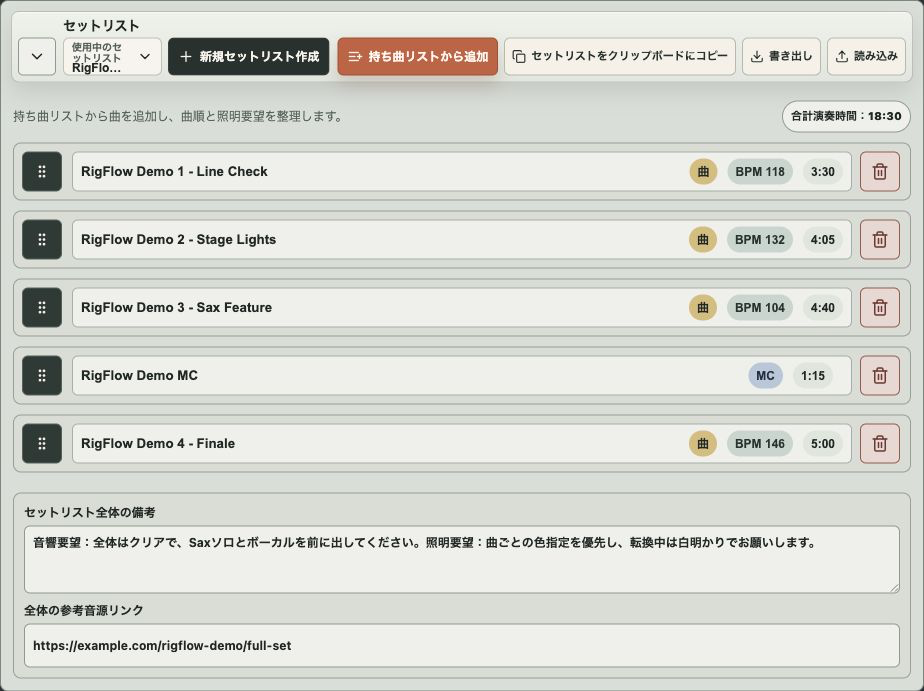
When the setlist and reference tracks are sent with the plot, lighting conversations become easier too. A cue that lands with the song matters.
Common mistakes before sending
- Spending document time when you should be preparing the set
- Leaving old show details in a copied spreadsheet
- Sending a plot that still triggers follow-up questions
- Keeping lighting notes outside the setlist
- Starting every show from the same blank document work
Checklist before exporting the PDF
- The stage plot and setlist can be edited in the same flow
- Gear details the sound engineer needs are visible
- Reference tracks and lighting notes can stay with the songs
- The document can be fixed in the browser
- The final PDF can be exported in multiple languages
Frequently asked questions
Who is RigFlow for?
It is mainly for bands and artists who send their own production documents to venues without a separate production manager.
Why include the setlist?
Because the setlist often carries cues. Song order, duration, notes, and reference tracks help with lighting and changeovers.
Will RigFlow add more features?
Yes, but the priority is keeping document preparation light. More controls only help if the show day becomes easier.
PDF example
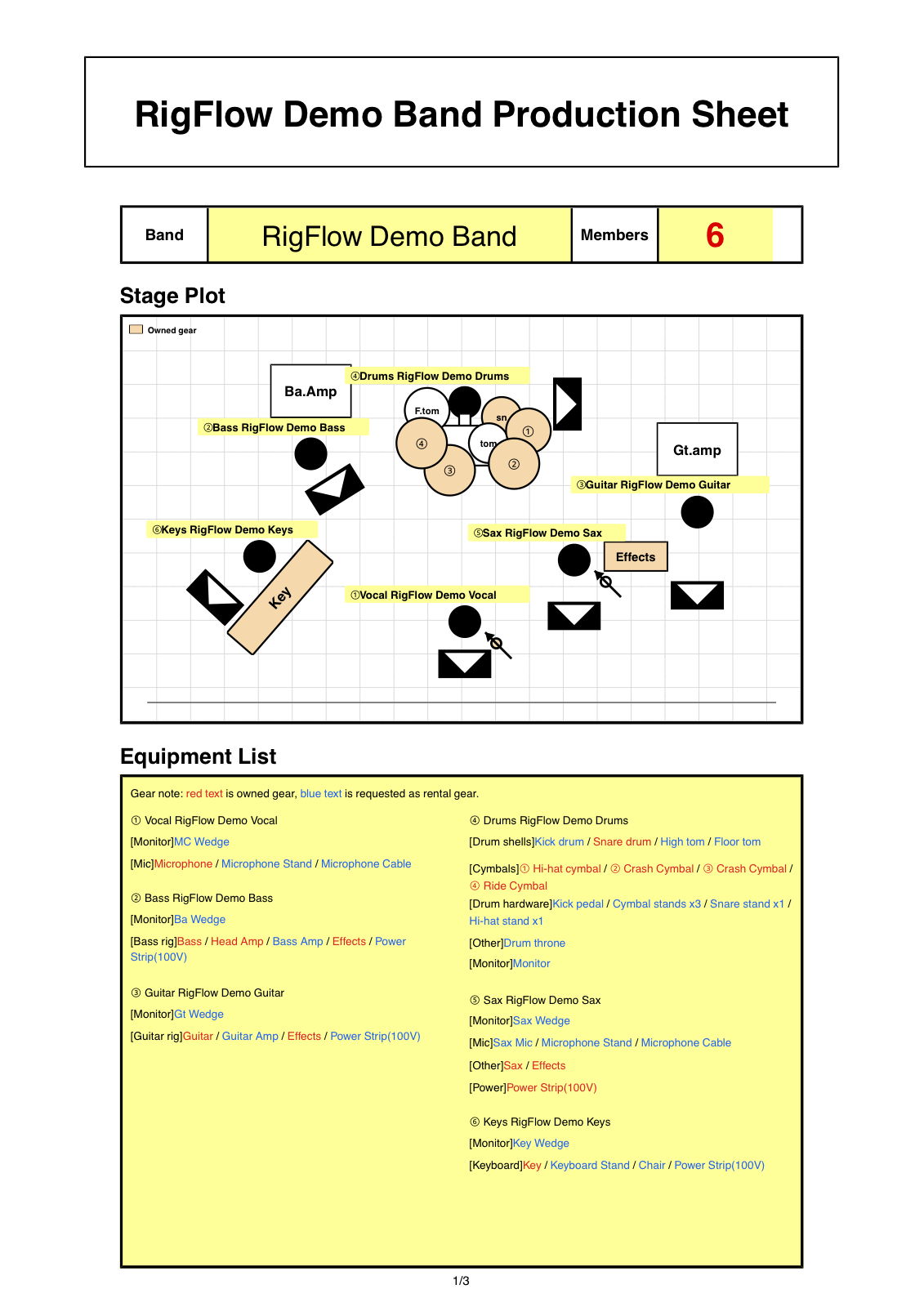
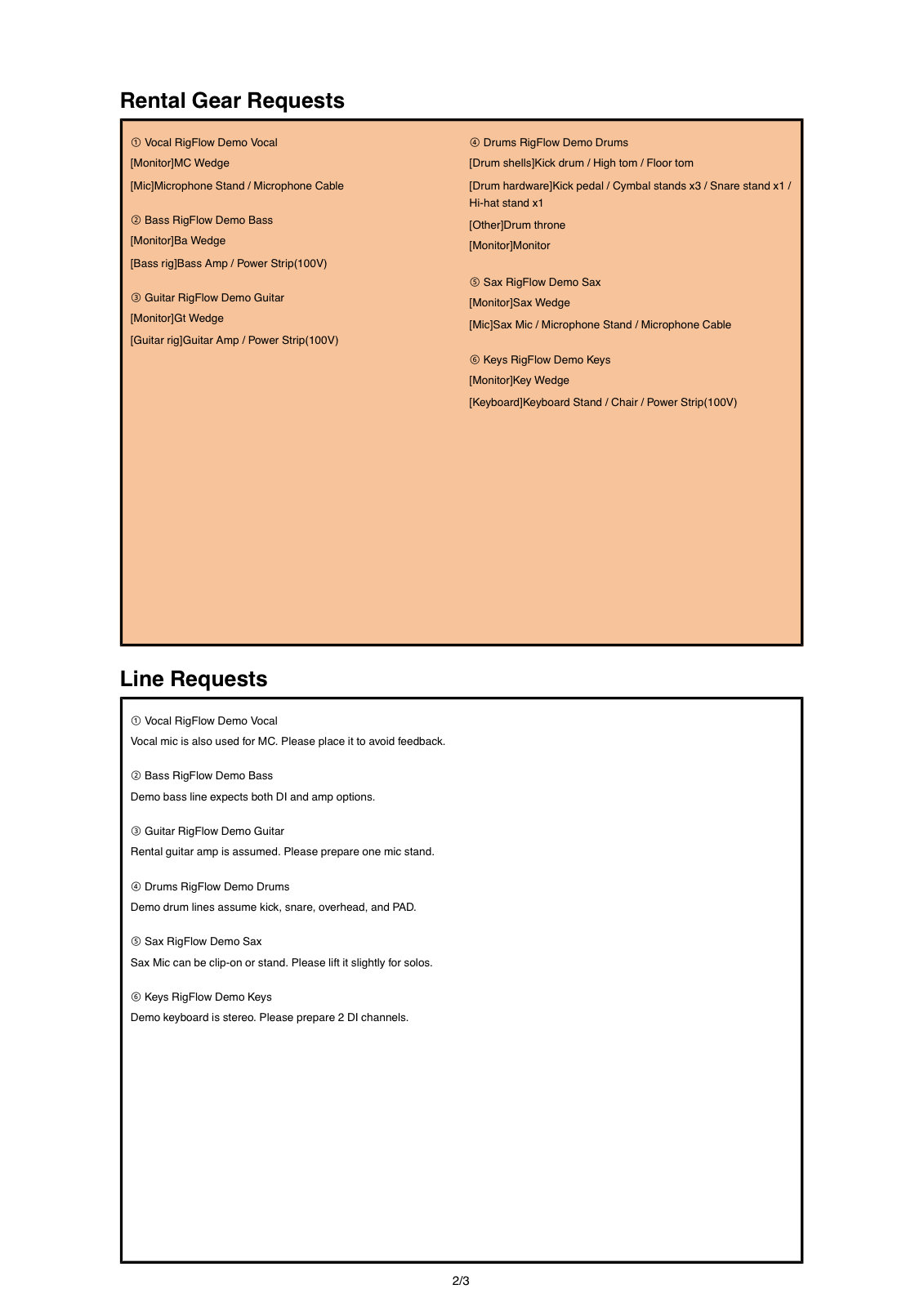
The PDF I wanted to send
When the stage plot, equipment list, and setlist come from the same data, the venue receives one document instead of scattered files.